TON Wallet
You can connect your TON wallet (Telegram's native cryptocurrency wallet) to your Lucky Funatic account. TON (The Open Network) is the blockchain integrated into Telegram, and connecting your wallet links your crypto identity to your game profile.
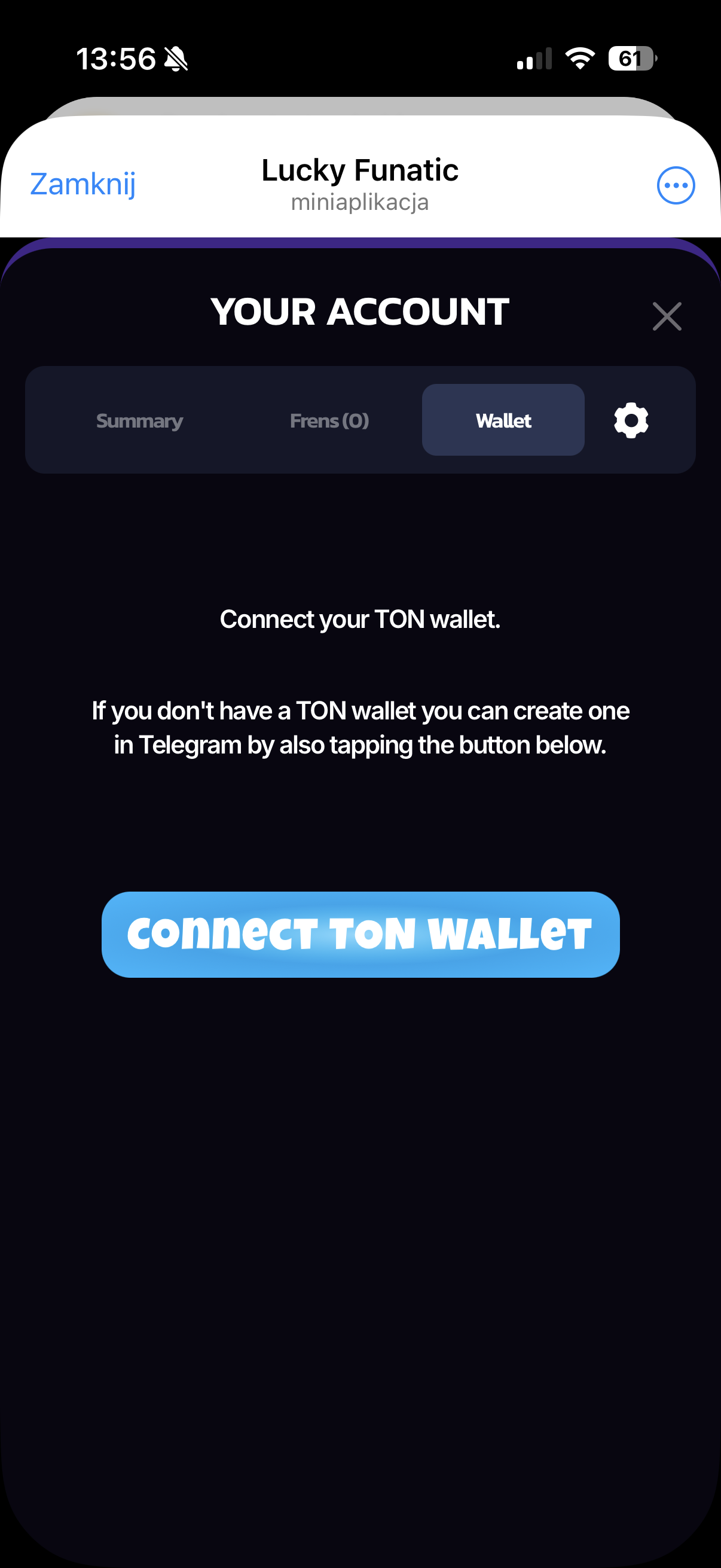
How to Connect
Connecting your wallet is straightforward:
- Go to your Account page (tap your avatar on the main screen)
- Select the Wallet tab
- Tap the Connect TON Wallet button
- If you already have a TON wallet in Telegram, it will prompt you to connect it
- If you don't have one yet, tapping the button will guide you through creating a wallet directly within Telegram
The connection uses the standard TON Connect protocol, so it works with any TON-compatible wallet.
What It's Used For
Connecting your TON wallet serves a few purposes within Lucky Funatic:
- Raffle eligibility -- connecting a crypto wallet is one of the 5 requirements to be eligible for the $10,000 USDT raffle. Without it, you can't participate
- Quest completion -- the "A TON of Opportunities" quest rewards you with 100 Jokers for connecting your wallet. It's one of the highest single-quest rewards available
- Tournament requirements -- some tournaments may require a TON wallet to be connected before you can enter, especially those with crypto-related prize pools
Currently, there is no active on-chain transaction functionality -- the wallet address is stored in your profile for identity verification and eligibility purposes. The connection is a one-time setup that enables these features going forward.
Under the hood: The wallet address is stored in the
lucky_funatic_userstable aston_wallet_address. Tournament entry checks can validate wallet presence via theRequiresTONWalletflag on tournament configuration. EVM wallets are handled separately through the Funtico Platform integration.