Inventory
The Inventory screen shows everything you own, organized into three tabs: Lucky Funatic, Platform, and Special Cards. It's your central hub for managing items, converting currencies, and transferring rewards to the Funtico Platform.
You can access the Inventory from your account screen or through various in-game prompts when items are awarded.
Lucky Funatic Tab
This tab shows items that live within the Lucky Funatic game. These are the currencies and items you use for in-game activities like entering tournaments and converting premium currencies.
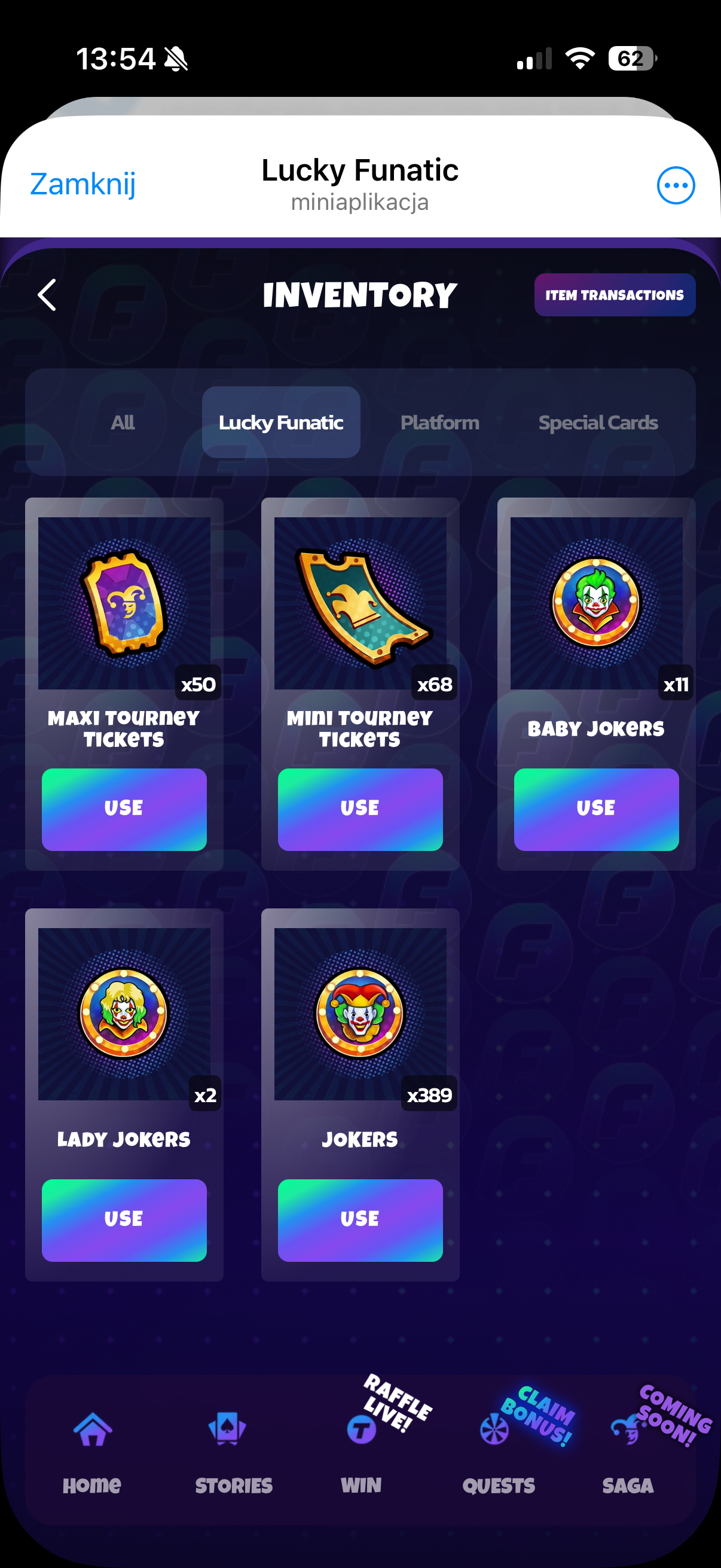
Here's what you'll find:
- Maxi Tourney Tickets -- used to enter Maxi Rumble tournaments (higher tier, bigger prizes)
- Mini Tourney Tickets -- used to enter Mini Rumble tournaments (lower tier, more accessible)
- Baby Jokers -- a type of premium currency that can be converted to Funz
- Lady Jokers -- another premium currency, also convertible to Funz
- Jokers -- the secondary currency used for shop purchases and various in-game exchanges
Each item has a USE button that either spends the item (tickets) or converts it (Baby/Lady Jokers to Funz). The quantity you own is shown on each card (e.g. "x50", "x68", "x389").
Platform Tab
This is where things get interesting. The Platform tab shows items that can be transferred to the Funtico Platform -- Lucky Funatic's parent web3 gaming platform. These are primarily rewards won from tournaments, and sending them to the platform lets you use them in the broader Funtico ecosystem.
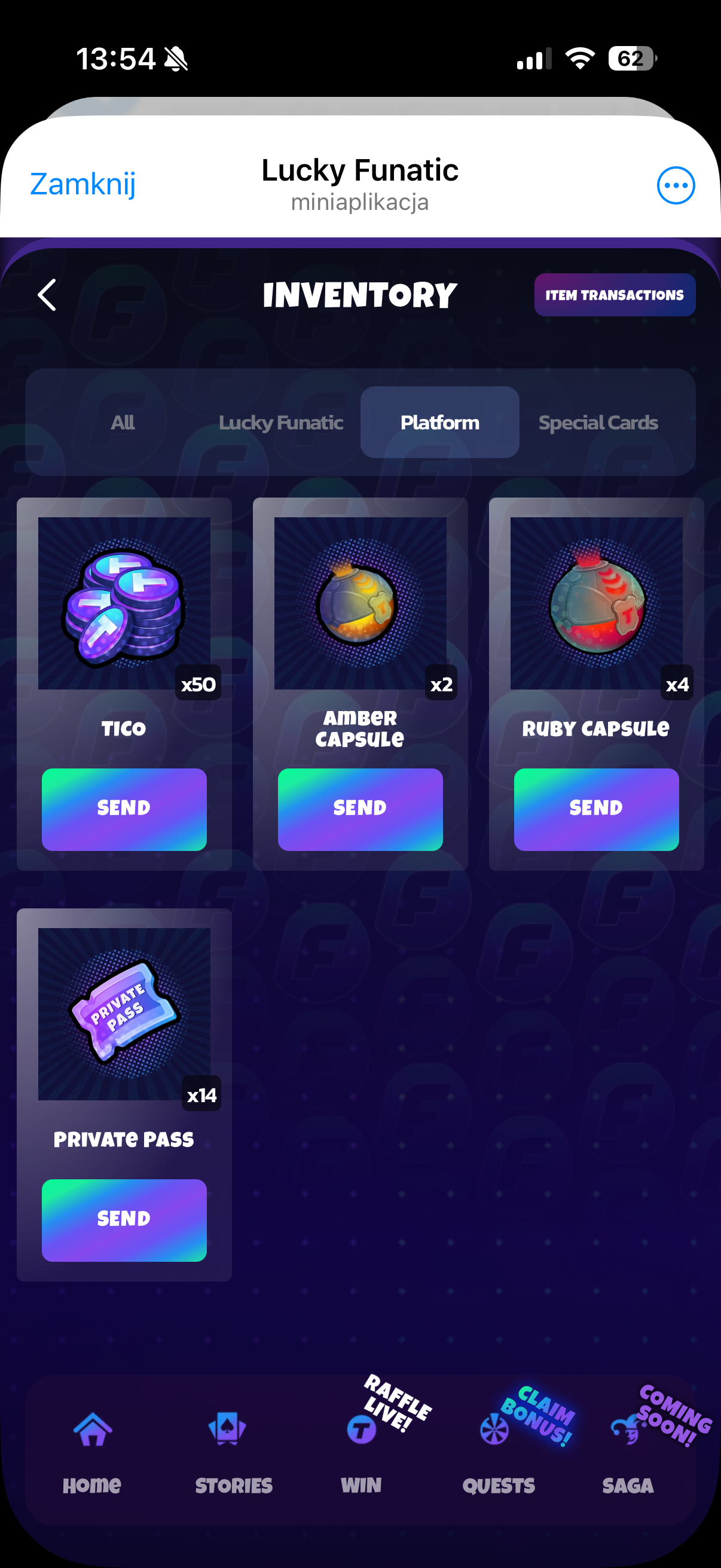
Available platform items include:
- TICO -- Funtico's cryptocurrency token, earned from tournament prize pools
- Amber Capsule / Ruby Capsule -- lootbox items from the platform
- Private Pass -- used to enter tournaments on the Funtico Platform itself
Each platform item has a SEND button that initiates a transfer to your linked Funtico account. You need to have your Funtico account connected first (this can be done through the Quests tab by completing the "Link Funtico Account" quest).
You can also view your complete transfer history by tapping the Item Transactions button at the top-right of the Inventory screen. This shows every item you've sent to or received from the platform.
Special Cards Tab
This tab shows special cards you've forged by completing full card categories in the Stories system. These are your most powerful passive income generators -- a single special card can produce more Funz per hour than dozens of regular cards combined.
Special cards can't be bought or traded; they can only be earned through the dedication of maxing out every card in a category. They serve as both a status symbol and a serious income boost.
Under the hood: Transfers to the Funtico Platform go through a server-to-server API call to
POST /api/lucky-funatic/transfer/item, authenticated via a bearer token. The transfer is atomic -- items are deducted from Lucky Funatic inventory and credited to the platform inventory in a single transaction. The reverse flow (platform to Lucky Funatic) usesPOST /laravel/transfer/item-- see the From Platform docs for the full API contract.